

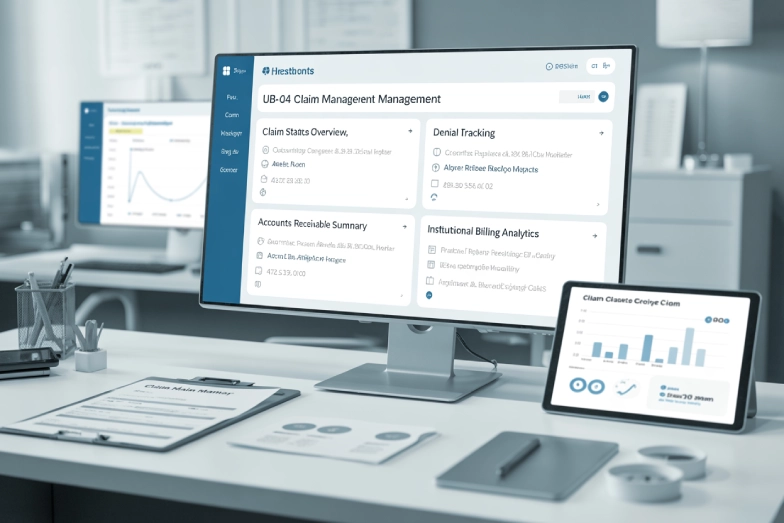
For hospitals, inpatient facilities, behavioral health centers, surgery centers, skilled nursing facilities, rehab centers, and other institutional providers, UB-04 billing is not just another administrative task. It sits directly inside the revenue cycle.
The right UB-04 software can help your organization create institutional claims, validate required fields, submit cleaner 837I transactions, track rejections, manage payer rules, and improve visibility across the billing process. The wrong setup can create the opposite problem: delayed reimbursement, avoidable denials, frustrated staff, and more manual work than expected.
That is why choosing UB-04 software revenue cycle management should not be treated as a simple software purchase. It should be treated as an operational decision that affects cash flow, compliance workflows, billing accuracy, and the daily workload of your revenue cycle team.
This guide explains what UB-04 RCM software does, what features matter most, how to compare platforms, and when a medical billing service like Summit Billing Solutions may be the smarter choice than trying to manage every claim internally.
What Is UB-04 Software in Revenue Cycle Management?
UB-04 software is billing software that supports institutional claim creation and submission. The UB-04, also known as Form CMS-1450, is the standard paper claim form used by institutional providers. In electronic billing, institutional claims are usually transmitted through the 837I format.
In practical terms, UB-04 software helps facilities organize the information needed to bill payers for institutional services. This can include patient details, provider information, type of bill, revenue codes, condition codes, occurrence codes, value codes, diagnosis codes, procedure codes, charges, payer information, and other claim elements.
Revenue cycle management software goes beyond claim creation. It may also support eligibility checks, charge capture, coding workflows, claims scrubbing, electronic claim submission, denial tracking, payment posting, reporting, and accounts receivable follow-up. For the full sequence, from scheduling to patient collections, see our guide to revenue cycle management in medical billing.
The best UB-04 software for revenue cycle management is not just a form-filling tool. It should help your billing team move claims from service documentation to payer payment with fewer errors, stronger visibility, and better control over the entire claim lifecycle.
Why UB-04 Billing Is Different From Professional Billing
A common mistake is assuming UB-04 billing works the same way as CMS-1500 billing. It does not.
CMS-1500 claims are generally used for professional billing, such as physician or individual provider services. UB-04 claims are used for institutional billing, such as facility-based services. That distinction matters because institutional claims often involve different coding structures, payer rules, claim fields, revenue codes, facility charges, and reimbursement logic. A hospital outpatient clinic visit shows the split: the hospital bills HCPCS code G0463 on the UB-04, while the physician bills an E/M code on the CMS-1500 (see our guide to G0463 billing).
For example, a facility claim may need to reflect room and board, ancillary services, revenue center detail, patient status, admission information, discharge status, occurrence codes, and payer-specific billing requirements. These details can directly affect claim acceptance, reimbursement, and denial risk.
A generic billing platform may technically allow claim submission, but that does not mean it is built well for UB-04 workflows. If your organization handles institutional claims, your software and billing process must be designed for institutional billing from the start.
Why Facilities Search for UB-04 Revenue Cycle Management Software
Most organizations do not start searching for UB-04 software because everything is going smoothly. They search because they are dealing with pressure somewhere in the revenue cycle.
Common reasons include:
- Claims are getting rejected before payer adjudication.
- Denials are increasing and the root cause is unclear.
- Staff are manually entering too much claim data.
- Reports do not show where revenue is getting stuck.
- Billing teams are using multiple disconnected systems.
- Payer rules are difficult to keep up with.
- Leadership wants better visibility into accounts receivable.
- The organization is growing and manual billing processes are no longer sustainable.
The commercial intent behind this search is clear. The organization is likely comparing solutions, trying to reduce billing friction, and deciding whether to buy software, upgrade systems, outsource billing, or combine software with expert billing support.
The Real Goal: Cleaner Claims and Faster Revenue Movement
The goal of UB-04 software is not simply to submit claims. Any system can promise submission. The real goal is to improve the path from service delivery to payment.
A strong UB-04 revenue cycle management process should help your facility:
- Capture complete billing data before claims go out.
- Reduce preventable rejections and denials.
- Identify missing or inconsistent claim information.
- Track payer responses quickly.
- Work denied claims before timely filing becomes a risk.
- Monitor reimbursement trends by payer, location, service line, or claim type.
- Improve accountability across billing, coding, and follow-up teams.
Software can support these goals, but software alone does not guarantee them. The workflow behind the software matters just as much as the platform itself.
Key Features to Look for in UB-04 Revenue Cycle Management Software
When comparing UB-04 software options, avoid choosing based only on brand recognition or a demo that looks clean. You need to evaluate whether the system can actually support the complexity of institutional billing.
Here are the features that matter most.
1. UB-04 and 837I Claim Support
The software should support institutional claim workflows and electronic 837I submission. This is the foundation. If the platform is mainly built around professional claims, your billing team may face workarounds that create inefficiency.
Ask whether the system supports the claim fields, codes, and institutional billing details your facility needs. Also ask how the software handles payer-specific companion guide requirements and clearinghouse edits.
2. Claim Scrubbing and Validation
A good UB-04 software system should help catch errors before claims are submitted. Claim scrubbing should identify missing information, invalid codes, formatting problems, payer-specific requirements, and common institutional claim issues.
This matters because every preventable rejection creates extra work. A claim that fails at the front end must be corrected, resubmitted, and tracked again. If that pattern repeats across a large claim volume, it can quietly drain staff time and slow cash flow.
3. Eligibility and Benefits Verification
Eligibility issues are a major source of claim problems. Your software should make it easier to verify coverage, payer details, patient responsibility, authorization requirements, and plan information before billing.
For institutional providers, eligibility should not be an afterthought. A strong RCM workflow starts before the claim is created.
4. Charge Capture and Coding Workflow Support
UB-04 claims depend on accurate charge data and coding. The software should support clean handoffs between clinical documentation, charge entry, coding, and billing.
If charge capture is disconnected from billing, missed charges and incorrect claim details become more likely. If coding review is too manual, claims may sit too long before submission. The best software helps teams see what is pending, what is incomplete, and what needs attention.
5. Denial Management Tools
Denials are not just billing events. They are data signals.
Your software should help categorize denials, track appeal status, assign follow-up tasks, and identify recurring denial patterns. Without denial analytics, your team may keep fixing the same issues one claim at a time without solving the root problem.
For example, if a certain payer repeatedly denies claims for authorization, medical necessity, coding, or missing information, your team needs visibility into that pattern. Good denial management tools help turn denial work from reactive cleanup into process improvement.
6. Accounts Receivable Tracking
A UB-04 revenue cycle platform should make accounts receivable easy to monitor. Leadership should be able to see aging, payer delays, unpaid claims, denial trends, and follow-up activity.
The system should help answer questions like:
- Which payers are delaying payment?
- Which claims are approaching timely filing deadlines?
- Which service lines have the highest denial rate?
- Which claims need immediate follow-up?
- How much revenue is sitting in each aging bucket?
If your team cannot answer those questions quickly, the software may not be giving you enough operational visibility.
7. Payment Posting and Reconciliation
Payment posting should connect payer remittance data back to claims. A good platform should support electronic remittance advice, adjustments, contractual allowances, patient responsibility, underpayment review, and reconciliation workflows.
This is especially important when facilities have multiple payers, complex contracts, and different reimbursement rules. Payment posting is not just data entry. It is part of financial control.
8. Reporting and Dashboard Visibility
Reporting should be practical, not just pretty. Your billing leaders need dashboards that show real revenue cycle performance.
Useful reporting may include:
- Clean claim rate
- Denial rate
- Rejection rate
- Days in accounts receivable
- Net collection rate
- Payer aging
- Claim volume
- Payment trends
- Appeals performance
- Staff productivity
- Revenue by location, payer, or service line
The goal is to help your team make faster decisions. If reports require manual spreadsheet work every week, the software may not be solving the visibility problem.
9. Integration With Existing Systems
Many facilities already use electronic health records, practice management systems, clearinghouses, accounting platforms, document management systems, and payer portals. UB-04 software should integrate with your existing environment as much as possible.
Poor integration creates duplicate entry, missing data, and more manual reconciliation. Before choosing a platform, ask what systems it connects with, how data flows, and what your team will still need to handle manually.
10. Compliance and Audit Support
Institutional billing requires careful documentation, coding accuracy, payer compliance, and audit readiness. Your software should support secure access, user permissions, audit trails, claim history, document attachment workflows, and reporting needed for internal review.
Software does not replace compliance oversight, but it should make compliance easier to manage.
Comparison Table: What to Evaluate Before Choosing UB-04 Software
| Evaluation Area | Why It Matters | Questions to Ask |
|---|---|---|
| UB-04 and 837I support | Institutional claims have unique requirements | Does the platform support institutional billing workflows, not just professional claims? |
| Claim scrubbing | Prevents avoidable rejections and denials | What errors does the system catch before submission? |
| Payer rules | Payers may have different requirements | Can the software support payer-specific edits and workflows? |
| Integration | Reduces duplicate entry and manual work | Does it connect with our EHR, clearinghouse, and reporting tools? |
| Denial management | Helps identify root causes | Can we track denials by payer, reason, service line, and status? |
| Reporting | Gives leadership visibility | Can we easily see AR aging, denial trends, and claim performance? |
| Payment posting | Supports reconciliation and underpayment review | Does it support ERA posting, adjustments, and payer payment tracking? |
| Workflow management | Improves team accountability | Can tasks be assigned, tracked, and reviewed? |
| Support and training | Reduces implementation risk | What onboarding, training, and support are included? |
| Scalability | Supports future growth | Can the platform handle increased claim volume and more locations? |
Software Alone Does Not Fix a Broken Billing Workflow
Many facilities buy new software expecting it to solve revenue cycle problems quickly. Sometimes it helps. Other times, the same problems continue because the underlying workflow was never fixed.
For example, software may catch missing fields, but it cannot automatically solve inconsistent documentation. It may show denials, but it cannot replace a clear denial follow-up process. It may submit claims electronically, but it cannot guarantee that coding, payer rules, and billing strategy are being handled correctly.
Before investing in UB-04 software, facilities should review the process around the software:
- Who verifies eligibility?
- Who checks authorizations?
- Who reviews documentation before coding?
- Who validates charges?
- Who works rejections?
- Who appeals denials?
- Who monitors payer trends?
- Who reports revenue cycle performance to leadership?
If those responsibilities are unclear, software may only make the problems more visible. It may not fix them.
When Outsourced UB-04 Billing Support Makes Sense
Some organizations have the internal staff, systems, and leadership bandwidth to manage UB-04 billing fully in house. Others need expert support.
Outsourced billing support may make sense when:
- Claim volume is growing faster than the billing team.
- Denials are increasing.
- Accounts receivable is aging.
- Staff turnover is affecting billing consistency.
- The organization lacks institutional billing expertise.
- Leadership wants better reporting and accountability.
- Billing workflows depend too much on one or two people.
- The team is spending too much time correcting preventable errors.
- Software implementation is creating extra work instead of reducing it.
A medical billing service can help bridge the gap between software and execution. The right partner can manage claims, review denials, track follow-up, monitor payer issues, and help leadership understand where revenue is getting delayed.
Need Help With UB-04 Billing?
Summit Billing Solutions helps healthcare organizations manage complex billing workflows with cleaner claims, stronger follow-up, and better revenue cycle visibility. If your team is comparing UB-04 software or struggling with institutional claims, our billing specialists can help you identify what is slowing reimbursement.
How to Choose the Best UB-04 Software for Revenue Cycle Management
Choosing software should be a structured process. A strong demo is useful, but it should not be the only deciding factor.
Here is a practical process to follow.
Step 1: Define Your Billing Environment
Start by documenting your current billing structure. Include your facility type, claim volume, payer mix, locations, service lines, current systems, clearinghouse, denial trends, and staffing structure.
A hospital, behavioral health facility, skilled nursing facility, rehab center, and ambulatory surgery center may all need UB-04 support, but their workflows are not identical.
Step 2: Identify Your Main Revenue Cycle Pain Points
Before shopping for software, identify what you are trying to fix.
Are claims going out too slowly? Are rejections high? Are denials poorly tracked? Are staff doing too much manual entry? Are reports unreliable? Are payers underpaying? Is leadership lacking visibility?
Your pain points should guide the evaluation. Otherwise, you may buy a platform with features that look impressive but do not solve your biggest problems.
Step 3: Separate Must-Have Features From Nice-to-Have Features
Every software vendor will show a long list of features. Your job is to identify what your team truly needs.
Must-have features may include 837I support, claim scrubbing, denial tracking, ERA posting, payer reporting, and integration with your current systems. Nice-to-have features may include advanced dashboards, automation extras, custom workflows, or patient communication tools.
This helps prevent overspending on features your team will not use.
Step 4: Ask About Implementation
Implementation is where many software projects become difficult. Ask detailed questions about setup, migration, training, integration, support, and timeline.
Important questions include:
- Who handles implementation?
- What does your team need to provide?
- How long does setup usually take?
- What data must be migrated?
- What training is included?
- How are payer connections configured?
- What happens if claims fail during the transition?
- Is support included after launch?
A low monthly software cost can become expensive if implementation is poorly managed.
Step 5: Test Real Workflow Scenarios
Do not evaluate software only through a polished demo. Ask the vendor to walk through real scenarios your team handles every week.
Examples:
- Create and submit a UB-04 institutional claim.
- Correct a rejected claim.
- Work a denied claim.
- Post a payment.
- Review payer aging.
- Pull a denial report.
- Track an appeal.
- Identify claims nearing timely filing limits.
This gives you a better sense of whether the software fits your workflow or only looks good in presentation mode.
Step 6: Review Reporting Carefully
Reporting is often one of the biggest reasons facilities upgrade RCM software. During the evaluation, ask to see the exact reports your leadership team will need.
Do not settle for vague promises like “custom reporting is available.” Ask what is included, what requires customization, and how easy reports are to export, filter, and interpret.
Step 7: Consider Whether You Need Software, Services, or Both
This is the most important question.
Some facilities need better software. Some need better billing execution. Many need both.
If your team already has strong billing processes but lacks technology, software may be the priority. If your team has software but still struggles with denials, AR, claim follow-up, or payer rules, expert billing support may be the better first move.
Common Mistakes Facilities Make When Choosing UB-04 RCM Software
Mistake 1: Choosing a Platform Built Mainly for Professional Billing
Not every billing platform is built for institutional claims. If your organization relies on UB-04 workflows, the software must support facility billing requirements deeply.
Mistake 2: Ignoring Payer-Specific Requirements
Payers may have different claim edits, documentation requirements, authorization rules, and billing preferences. If your software and billing process do not account for payer variation, denials can continue.
Mistake 3: Underestimating Staff Training
Even good software fails when staff are not trained well. Training should include claim creation, corrections, denial workflows, reporting, payment posting, and escalation procedures.
Mistake 4: Focusing Only on Claim Submission
Submission is only one part of the revenue cycle. The bigger value comes from clean claims, denial reduction, faster follow-up, payment visibility, and better reporting.
Mistake 5: Not Reviewing Current Billing Problems First
If you do not understand the current problem, you may choose the wrong solution. Start with a billing workflow review before committing to a platform.
Best UB-04 Software Options: What “Best” Really Means
Many searches ask for the best UB-04 software options for revenue cycle management. The honest answer is that the best option depends on the facility.
The best software for a large hospital system may not be the best fit for a smaller facility, behavioral health organization, ASC, rehab provider, or skilled nursing facility. Cost, complexity, integrations, claim volume, staff experience, and reporting needs all matter.
Instead of looking for a universal “best,” look for the best fit based on:
- Facility type
- Claim volume
- Payer mix
- Existing systems
- Billing team experience
- Denial volume
- Reporting needs
- Budget
- Implementation capacity
- Need for outsourced support
A smaller organization may benefit from a simpler platform paired with expert billing support. A larger organization may need a more robust enterprise RCM system with deeper integrations and internal analysts.
Questions to Ask Before Requesting a Demo
Before requesting a demo for an institutional billing RCM system, prepare a list of questions. This keeps the conversation focused and helps you compare vendors fairly.
Ask:
- Does your platform support UB-04 and 837I institutional claims?
- Which facility types do you support most often?
- What clearinghouses do you integrate with?
- How does your system handle payer-specific edits?
- What denial management tools are included?
- Can we track AR by payer, location, service line, and aging bucket?
- Does the platform support ERA posting?
- What reports are included out of the box?
- What implementation support is included?
- What training is provided for billing staff?
- Can you show a rejected claim correction workflow?
- Can you show a denied claim appeal workflow?
- What parts of the workflow remain manual?
- What is the total cost, including setup, support, and add-ons?
- Do you offer billing services, or only software?
The answer to the last question is important. If the vendor only provides software, your team still needs the internal capacity to execute the billing process.
How UB-04 Software Supports Better Revenue Cycle Performance
When implemented correctly, UB-04 software can support better revenue cycle performance in several ways.
First, it improves claim accuracy by catching errors earlier. This reduces preventable rework and helps claims move forward faster.
Second, it improves visibility. Leaders can see what is happening across claims, denials, payments, and AR instead of waiting for manual updates.
Third, it improves accountability. Tasks can be assigned, tracked, and reviewed, making it easier to manage team performance.
Fourth, it improves payer management. Reporting can show which payers are creating the most delays, denials, or underpayments.
Fifth, it supports scalability. As claim volume grows, the organization can rely less on manual tracking and more on structured workflows.
However, the software must be paired with disciplined billing operations. Without that, the platform becomes a storage system for unresolved problems.
Why Summit Billing Solutions Belongs in the Conversation
When a facility searches for UB-04 software revenue cycle management, the natural next step is often to compare platforms. That is useful, but it is not always enough.
Summit Billing Solutions helps healthcare organizations manage billing execution, not just billing technology. For facilities that need cleaner claims, stronger follow-up, denial support, and more reliable revenue cycle workflows, outsourced billing support can be a practical alternative to hiring, training, and managing everything in house.
The right billing partner can also help you get more value from the software you already use. In many cases, the problem is not that the organization has no system. The problem is that the billing process is inconsistent, under-resourced, or not being monitored closely enough.
Summit Billing Solutions can help facilities evaluate where revenue is getting stuck and build a more reliable billing workflow around institutional claims.
Get Expert UB-04 Billing Support
If your facility is comparing UB-04 software or struggling with institutional billing performance, Summit Billing Solutions can help. Connect with our team to review your billing workflow, identify revenue cycle gaps, and find a smarter path toward cleaner claims and stronger reimbursement.
Related reading: CMS-1728-20 home health cost report guide.
FAQ: UB-04 Software and Revenue Cycle Management
1. What is UB-04 software in revenue cycle management?
UB-04 software helps institutional providers create, validate, submit, and track facility claims. In revenue cycle management, it supports the movement of claims from billing data capture through payer submission, denial management, payment posting, and reporting.
2. Is UB-04 software the same as medical billing software?
Not always. Some medical billing software is built mainly for professional claims, while UB-04 software must support institutional billing workflows. Facilities should confirm that the platform supports UB-04 and 837I claim requirements before choosing a system.
3. What features should UB-04 revenue cycle management software include?
Important features include institutional claim support, 837I submission, claim scrubbing, eligibility verification, denial management, payment posting, AR tracking, payer reporting, workflow management, and integration with existing systems.
4. Do facilities still need billing experts if they use UB-04 software?
Yes. Software can help organize and automate parts of the billing process, but expert billing oversight is still important. Staff or outsourced billing specialists are needed to manage payer rules, correct claim issues, work denials, monitor AR, and improve revenue cycle performance.
5. Should my facility choose UB-04 software or outsource billing?
It depends on your internal resources. If your team has strong billing expertise and only needs better technology, software may be the right move. If your team is struggling with denials, AR follow-up, claim errors, or staffing limitations, outsourced billing support may provide faster operational improvement.
References for External Linking
- CMS explains that Form CMS-1450, also known as the UB-04, is used by institutional providers, while 837I is the standard electronic format for institutional claims. (Centers for Medicare & Medicaid Services)
- CMS Medicare Claims Processing Manual, Chapter 25, provides guidance on completing and processing the Form CMS-1450 data set. (Centers for Medicare & Medicaid Services)
- The National Uniform Billing Committee states that the Official UB-04 Data Specifications Manual is the authoritative source for UB-04 billing information. (NUBC)
- CMS explains that providers generally must submit Medicare claims electronically unless they meet Administrative Simplification Compliance Act exceptions. (Centers for Medicare & Medicaid Services)
- CMS lists adopted standards and operating rules for HIPAA electronic health care transactions. (Centers for Medicare & Medicaid Services)